Renovating an office or building a new campus raises a fundamental question: how will the network handle today’s needs and tomorrow’s growth without constant rip-and-replace work? The right structured cabling design protects uptime, simplifies changes, and lowers total cost of ownership over the long term.
GotUWired provides commercial low-voltage design and installation in San Diego and across Southern California, with BICSI-certified RCDDs on staff and licensed C-7 technicians. This guide outlines practical choices for Category cabling and fiber backbones, pathway planning, labeling, testing, demarc extensions, and project timelines so you can plan with confidence.
For help scoping your project or a fast site survey, contact GotUWired at 858.999.2031 or (833) 888-8489.
Start With a Solid Topology: MDF, IDFs, and Pathways
A resilient design begins with a clear hierarchy. The Main Distribution Frame (MDF) anchors core switching, routing, and your internet service provider handoff. Intermediate Distribution Frames (IDFs) serve each floor or building wing to keep copper runs within distance limits and enable modular growth.
Plan pathways early. Conduit, cable tray, J-hooks, and sleeves must be sized for initial pulls plus spare capacity. Route pathways to avoid electrical interference, sharp bends, and pinch points. Reserve vertical risers for fiber trunks and ensure penetrations are fire-stopped and labeled. Early pathway coordination with the general contractor, electrical team, AV integrator, and security vendor prevents congestion and costly rework.
Choose Category Cabling With Tomorrow in Mind: Cat6 vs. Cat6A
Category cable choice sets the ceiling for edge speeds and PoE power. Cat6 supports 1 GbE over 100 meters and 10 GbE to shorter distances in ideal conditions. Cat6A is specified for 10 GbE to 100 meters and offers better noise immunity, which is increasingly valuable for high-density Wi-Fi 6/6E, multi-gig switching, and higher-wattage PoE devices.
- New construction and major renovations typically standardize on Cat6A for work areas, wireless access points, and cameras to support multi-gig uplinks and higher PoE power.
- Light refresh projects can retain Cat6 for general desktops while targeting Cat6A for high-demand endpoints.
Keep bend radius, fill ratios, and separation from power in spec. Maintain consistent jack and patch panel components from a single manufacturer where possible to preserve performance warranties.
Build a Fast Core: Fiber Backbones That Scale
Backbones tie your MDF to each IDF. Multimode fiber (OM3 or OM4) is common for campus and building risers that carry 10 and 40 GbE uplinks today with a path to higher speeds. For long inter-building distances, single-mode provides future-proof headroom. Termination type, panel density, and trunk cabling should support growth without recabling.
- Use diverse paths where feasible for redundancy.
- Document strand counts and leave spare fibers for expansion and diagnostics.
- Budget LC cassettes or splice trays that match your switch optics strategy.
Keep Moves Simple: Labeling, Documentation, and Testing
Clean cabling reduces downtime. Adopt a structured label scheme that ties each outlet to its patch panel port, switch, and IDF. Print labels that are legible and durable. Maintain as-builts with pathway routes, cable schedules, test results, and serial numbers.
Test every copper drop to ANSI/TIA standards and certify fiber links with optical loss testing. Store results with the project closeout package so future teams can validate performance quickly. Good documentation shortens troubleshooting, accelerates cut-overs, and lowers operating costs.
Extend the Edge Carefully: Demarc Extensions and Cut-Overs
Demarc extensions bridge the service provider handoff to your MDF or MPOE room. They must meet carrier specs, grounding and bonding requirements, and local code. During cut-overs, schedule windows with your ISP, voice carrier, and any SD-WAN provider. Plan for rollback, stage equipment, label circuits, and test failover paths. Communicate the outage window to stakeholders and coordinate with AV and security teams that rely on network power and connectivity.
If you are coordinating AV upgrades or room builds, it can help to engage a single provider. For example, if you are planning conference rooms or paging, see our overview of AV installation in San Diego to align network capacity with room technology.
Oversight Matters: BICSI/RCDD and C-7 Licensing
Complex projects benefit from formal design oversight. A Registered Communications Distribution Designer (RCDD) applies BICSI standards to ensure pathways, cable selection, grounding, and bonding are compliant and scalable. C-7 low-voltage licensing confirms technicians are qualified to install telecommunications cabling safely and to code. Together, these controls reduce installation errors that lead to intermittent faults, heat buildup, and service-affecting crosstalk.
Budgeting Framework: Per-Drop Ranges and Room Builds
Actual costs vary by building condition, ceiling type, union rules, access hours, and materials. The ranges below are planning figures, not quotes.
- Copper workstation drops: A typical professional install with Cat6 or Cat6A, jack, faceplate, termination, testing, and labeling often falls in a per-drop range once quantities and conditions are known. Higher ceilings, long runs, core drilling, or limited access windows increase cost.
- Wireless access points, cameras, and IoT endpoints: Similar labor effort per run, but device mounting, PoE class, and specialized enclosures can add material cost.
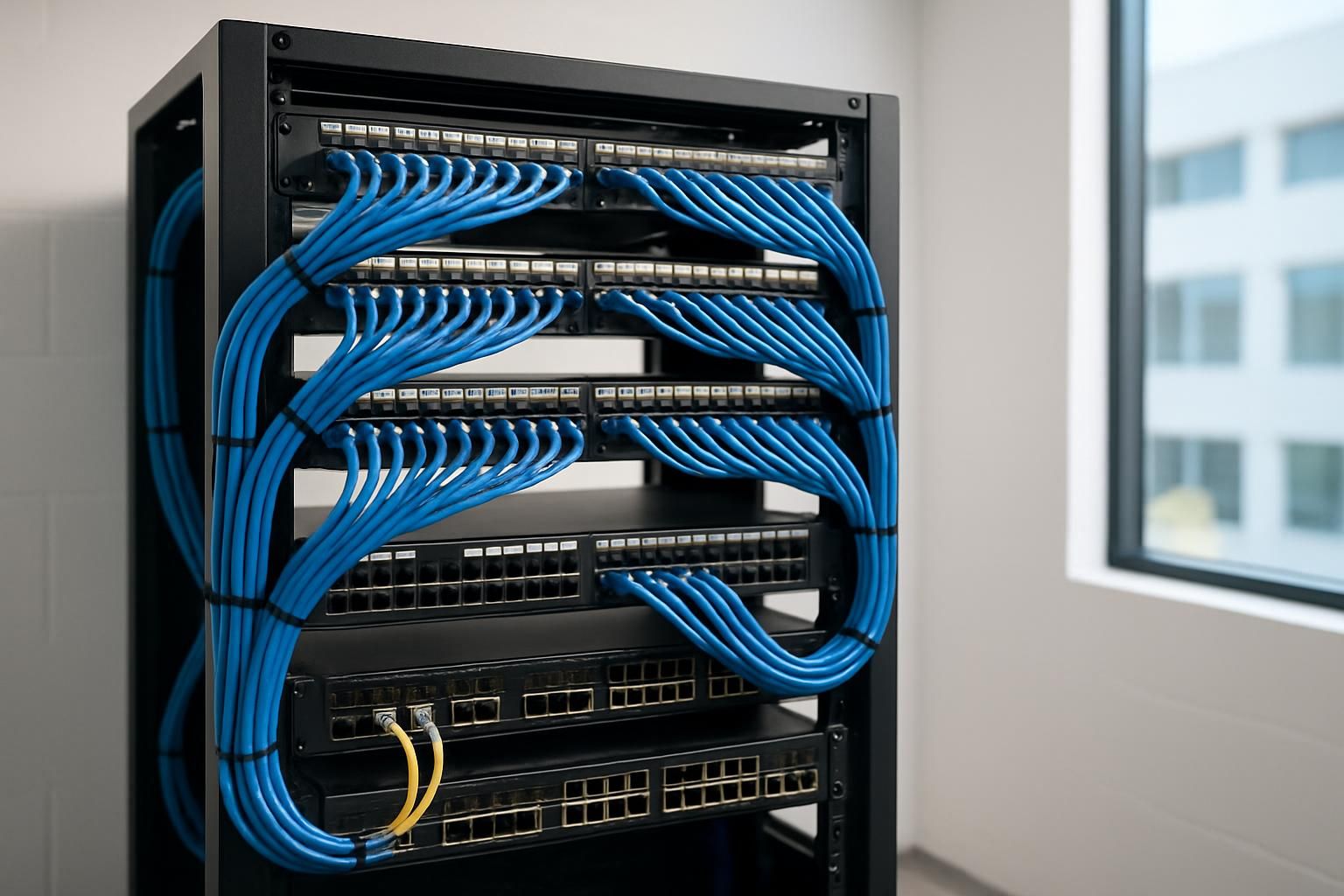
- MDF build-out: Budget for racks, cabinets, grounding and bonding, ladder rack, cable management, PDUs, UPS, and environmental monitoring.
- IDF build-outs: Repeat core elements at smaller scale, plus fiber cassettes, patch panels, and uplink optics.
- Fiber backbones: Unit cost depends on fiber type, strand count, distance, and termination method.
A site survey yields accurate counts, pathway complexity, and construction constraints that drive final pricing. For structured cabling installation services and network cabling in San Diego, GotUWired provides free consultations and detailed proposals that align scope, code, and timeline.
Pre-Install Checklist: Coordinate Early and Reduce Risk
Use this quick checklist to keep teams aligned:
- Confirm MDF and IDF room sizes, power, UPS, grounding, and HVAC.
- Approve pathways, penetrations, and fire-stopping details with the GC and inspector.
- Lock cable types, colors, panel density, and labeling standards.
- Validate wireless heat maps and camera coverage so drops land in the right places.
- Schedule ISP turn-up, demarc extensions, and cut-over windows.
- Coordinate with AV and security integrators on PoE budgets and switch port counts.
If AV, access control, and cameras are in scope, early coordination prevents change orders. Explore our commercial security systems capabilities if you are planning CCTV and alarms alongside cabling.
Project Management and Timelines
A typical process follows four phases:
- Discovery and design: Site survey, pathway assessment, MDF/IDF planning, and bill of materials. RCDD review during this stage prevents scope gaps.
- Installation: Pathways first, then fiber trunks and copper pulls, terminations, and rack build-out.
- Testing and documentation: Certification to TIA standards, labeling, as-builts, and turnover training.
- Cut-over and support: ISP coordination, device migrations, and post-install adjustments.
Lead times vary based on building access, inspections, and material availability. Clear milestones and weekly check-ins help stakeholders track progress and keep adjacent trades synchronized.
Coordinating With ISPs, AV, and Security
- ISPs: Verify handoff type, circuit demarc location, and power requirements. Request firm ready dates and confirm test procedures.
- AV: Align switch port counts, VLANs, and PoE budgets with room designs. Reserve rack space and cable management for codecs, DSPs, and control processors. If you are planning room technology, see how top AV companies in San Diego approach integrated designs.
- Security: Confirm camera power, bitrates, retention policies, and IDF storage if using NVRs. Align access control panel locations and lock power supplies with cabling pathways. If you need a partner for access control, review our access control installation options.
How Clean Cabling Reduces Downtime and TCO
Orderly cable management improves airflow, simplifies tracing, and speeds device swaps. Standards-based testing cuts mean time to resolution because technicians can trust link performance. Proper labeling reduces human error during changes. Over the life of a building, those minutes saved compound into lower labor spend, fewer outages, and faster expansions.
FAQ: Roles, Costs, and Careers
- How much does it cost to install network wiring? Costs typically depend on cable type, ceiling height, run length, building access, and quantity. Budgeting is often done per drop plus MDF/IDF build-outs and fiber backbones. A site survey is the fastest way to produce an accurate estimate for your environment.
- What is a network cable installer? A network cable installer is a low-voltage technician who installs, terminates, labels, and tests copper and fiber cabling that supports data, voice, Wi-Fi, and connected devices across commercial spaces.
- What is the job description of a cable installer? Core duties include pathway setup, pulling and dressing cable, terminating jacks and panels, installing racks and ladder rack, certifying links to TIA standards, documenting as-builts, and supporting cut-overs in coordination with ISPs and IT teams. Safety, code compliance, and customer communication are essential.
- How do I become a network cable installer? Many installers start with entry-level low-voltage roles and on-the-job training, then add certifications such as BICSI Installer or pursuing mentorship under an RCDD. Working for a licensed C-7 contractor provides exposure to codes, testing, and best practices that accelerate growth.
Next Steps
A future-ready network starts with good decisions on pathways, Category cabling, and fiber, backed by testing, documentation, and certified oversight. GotUWired delivers structured cabling service with BICSI and C-7 credentials and coordinates closely with AV and security teams to keep projects on time.
If you are planning data cabling in San Diego or a multi-building campus refresh, request a consultation to align your scope, budget, and timeline. You can also learn more about our structured cabling installation services or connect with our team at 858.999.2031 or (833) 888-8489.
Internal resources:
- Learn about network cabling and structured cabling contractors in San Diego on our structured cabling page.
- Coordinate meeting spaces and network capacity with our AV installation services in San Diego.
- Plan CCTV and alarms alongside cabling with our business security systems options.
Helpful links used above: